

How it works
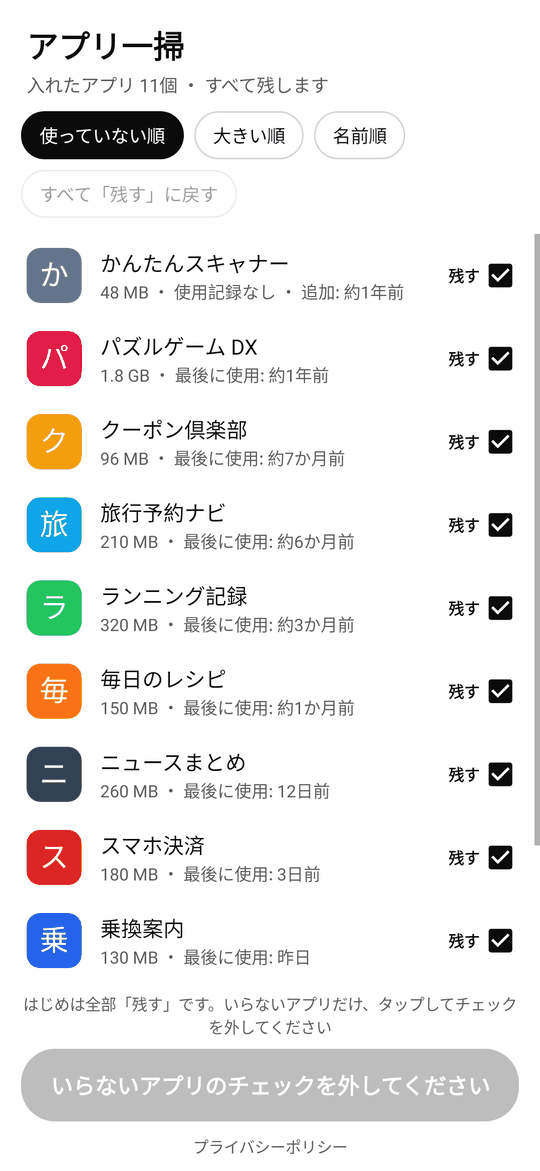
1Everything starts as “keep”
Your installed apps are listed with last-used date and size.
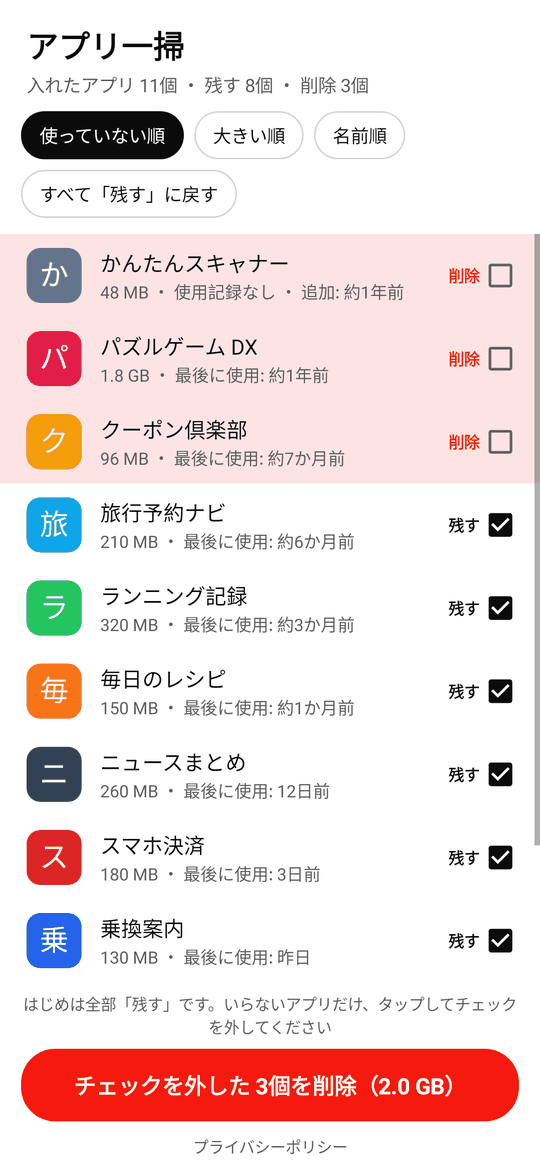
2Untick what you don't need
Unticked apps turn red, and you see how much space you'll free.
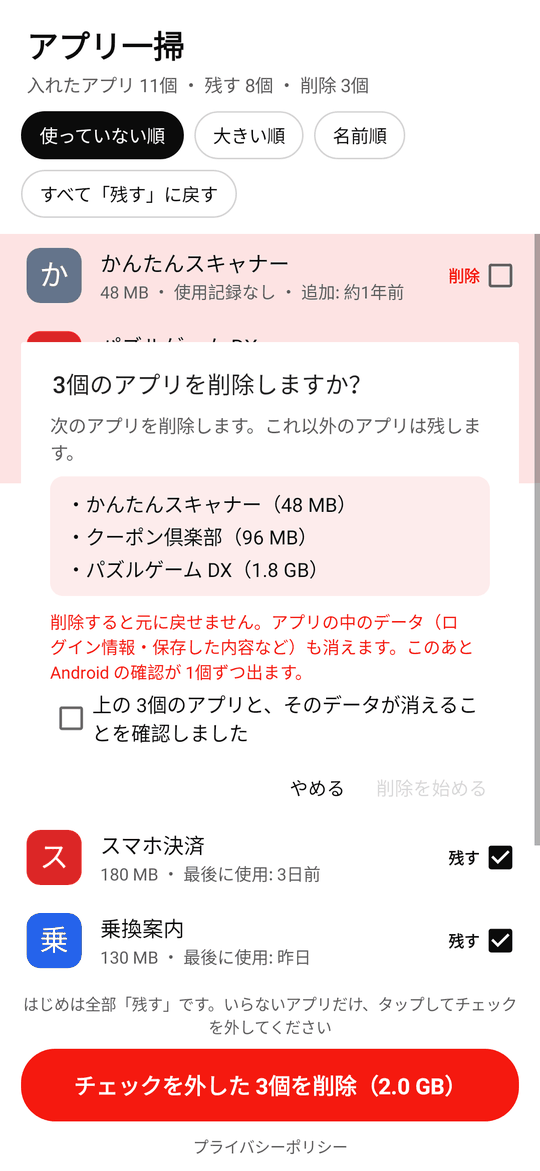
3Confirm and remove
Check the full list, then the apps are uninstalled one after another.
Screens are shown with sample apps. The app's interface is currently in Japanese.
Get notified at launch
We'll send you one email when the app is released on Google Play.
You're on the list. We'll email you at launch.
Could not send. Please check your connection and try again.
Your email address is used only for the launch notification and deleted afterwards. See the Privacy Policy.
What it does
Find unused apps
Sort by “least recently used” to bring long-forgotten apps to the top.
Find the biggest apps
Sort by size, including each app's data and cache.
Remove in one go
Selected apps are uninstalled in sequence, and you see the space freed at the end.
Built to prevent mistakes
Everything is kept by default
Only the apps you untick yourself are ever removed.
See it all before it happens
Every app to be removed is listed, and nothing starts until you tick “I have checked”.
One confirmation per app
Android asks you to confirm each uninstall. You can stop at any time.
System apps are excluded
Preinstalled apps never appear in the list, and your unticked choices are not saved.